Safes
Status: Stable
Functionalities
Section titled “Functionalities”Explanation of basics Safes functionalities
Overview
Section titled “Overview”In robbing it is possible to use safes that players can use to take care of their items and enjoy to crack.
Place a safe like a normal block. All safes can be free and usable like a normal double chest, or locked and protected by a pin.
To lock or unlock a safe the player can use the following commands while looking to a safe.
The pin has 4 digits and can’t start with 0 (e.g. 1234).
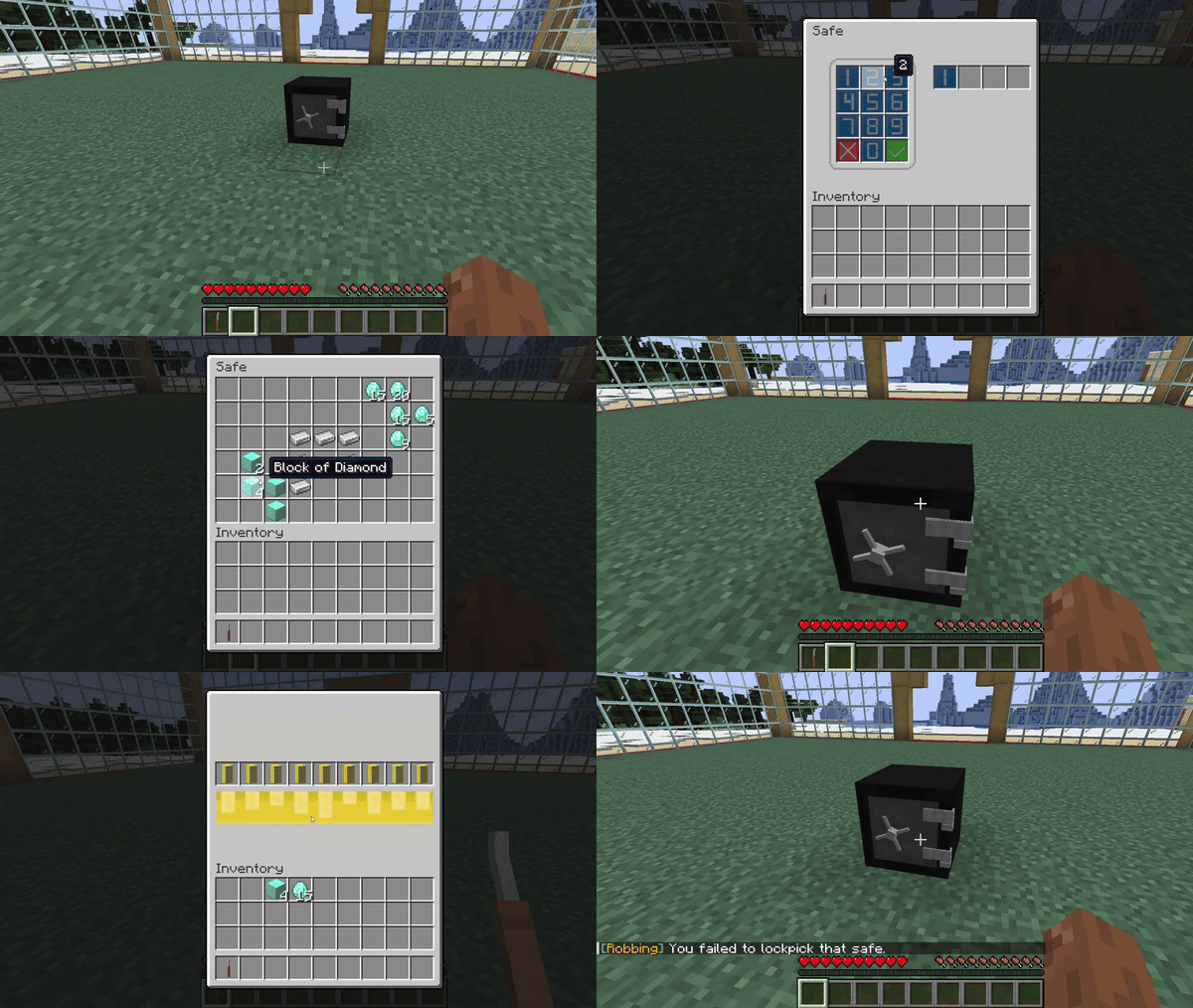
Opening a locked safe
Section titled “Opening a locked safe”Right click a locked safe with an empty hand: the keypad opens. Type the 4 digits and press the green ✓ key;
the red ✗ key clears the digits. With the right pin the safe inventory opens, with a wrong one the keypad closes.
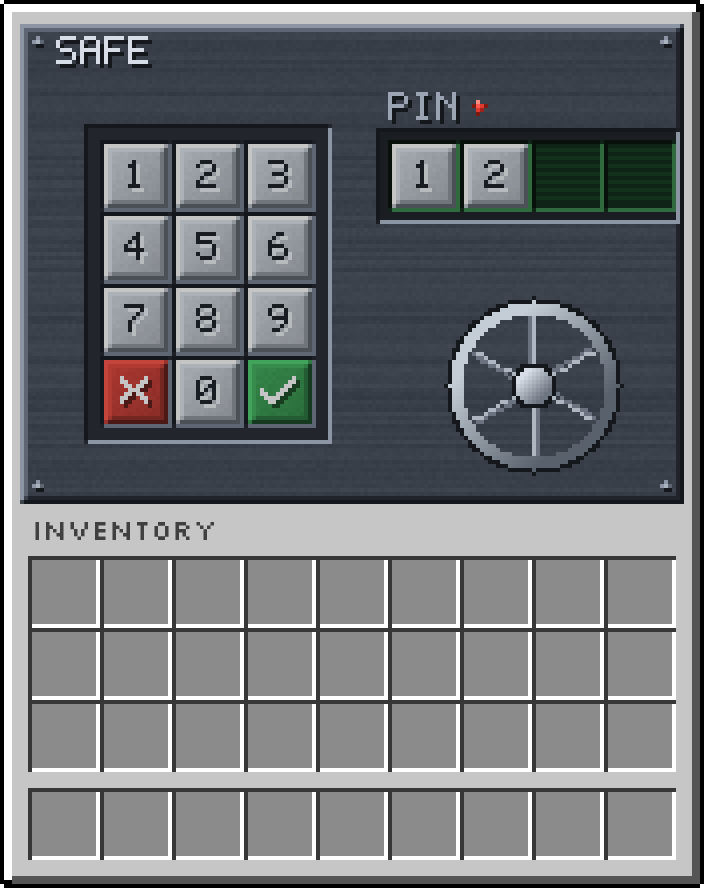
The keypad with the resource pack
Breaking a safe
Section titled “Breaking a safe”When a safe is broken it drops itself as an item. An unlocked safe also drops its content; a locked safe
keeps its content and its pin inside the dropped item, so they come back when it is placed again.
See safe.only_owner_can_break to protect locked safes.
Cracking a safe
Section titled “Cracking a safe”To crack a locked safe lockpicks must be used: right click the safe with a lockpick in main hand to open the lock.
It has 9 pins: clicking one shows if it is the correct cylinder (green) or a wrong cylinder (red).
To successfully crack the safe you have to find the correct cylinder.
Mistaking the cylinder 2 times will mean breaking the lockpick, and it will be necessary to use another one.
Once the correct cylinder is found the safe inventory will be shown.
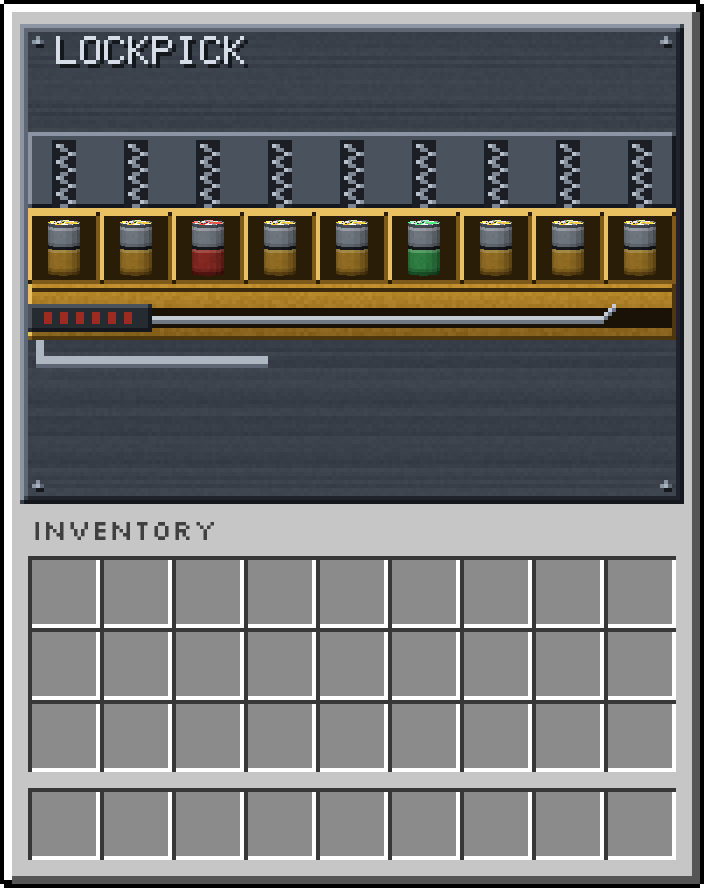
The lockpick menu with the resource pack
Get items
Section titled “Get items”Is possible get safe or lockpick using the commands:
/rb give <player> safe
/rb give <player> lockpick
Is also possible to craft it. All the items recipes are customizable from a gui using the command:
/rb menu
Default recipes:
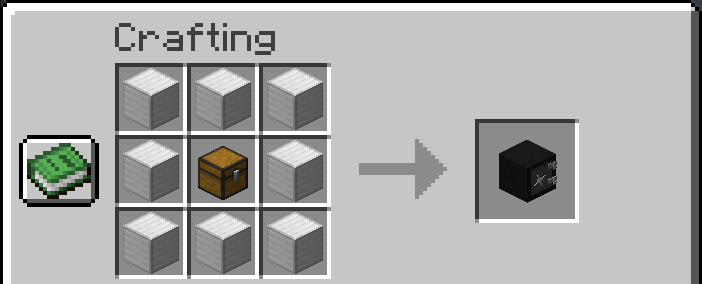
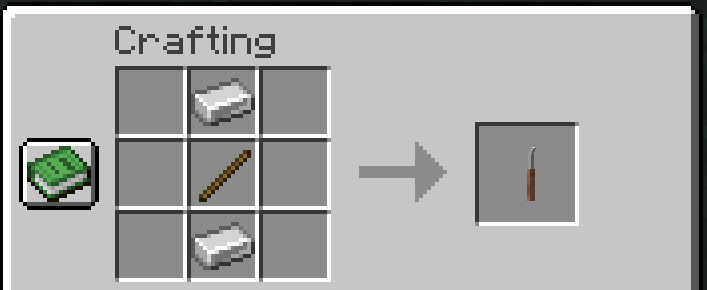
Note: to craft an item the permission robbing.craft.<item_name> is required.